One wire per terminal & terminal strips
A device terminal takes one wire unless its part says otherwise. When a terminal has more, its rows get an amber marker and a banner offers Fix all. Fixing routes the fan-out through a terminal strip (TB1, TB2…): the device feeds the strip’s input side, each branch leaves from its output side, and jumpers bridge the terminals. All fan-outs on the same electrical net share one strip.
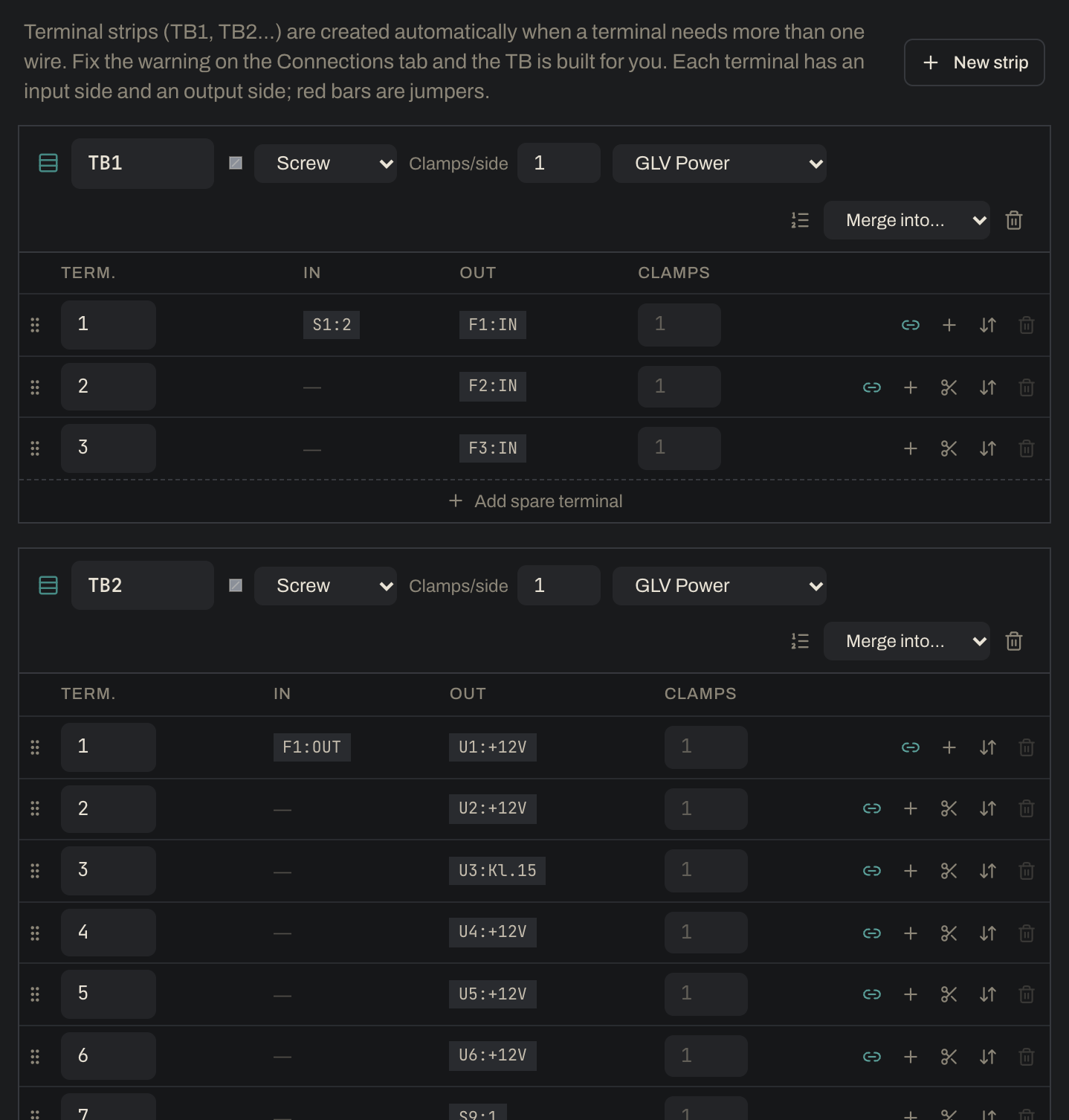
You don’t need to add TBs yourself. They’re created automatically from your connections. In the example, the battery negative BAT1:- was wired straight to eleven grounds. One Fix all turned that into TB5, an 11-terminal jumpered ground bus. The same click built TB1 (the three fused branches after the master switch), TB2 (7 electronics feeds from F1), TB3 (pump and fan from F3) and TB4 (the TSMS output feeding both AIR coils and the VCU’s shutdown sense). New strip on the Strips tab is only for an empty strip you want to fill by hand.
Tags keep the two ideas apart: TB1 is a terminal strip, while X1 is a connector on a device (see Connectors & cables).
- Exceptions: mark a terminal Allow multiple wires here, let comms signals daisy-chain (the example’s CAN bus runs VCU → inverter → BMS → dash with no strip), or have the Codex terminal declare how many wires it accepts.
- A pin carrying a cable conductor can’t be moved to a strip (that would split the cable), so it is never fixed automatically. Move the loose wire instead.
- Each strip terminal has an input side (the wire’s “To” end) and an output side (the “From” end), each with N clamps, set per strip or per terminal.
- On the Strips tab: add or remove spares, drag to reorder, renumber, toggle jumpers, split a strip, move terminals between strips, or merge strips.